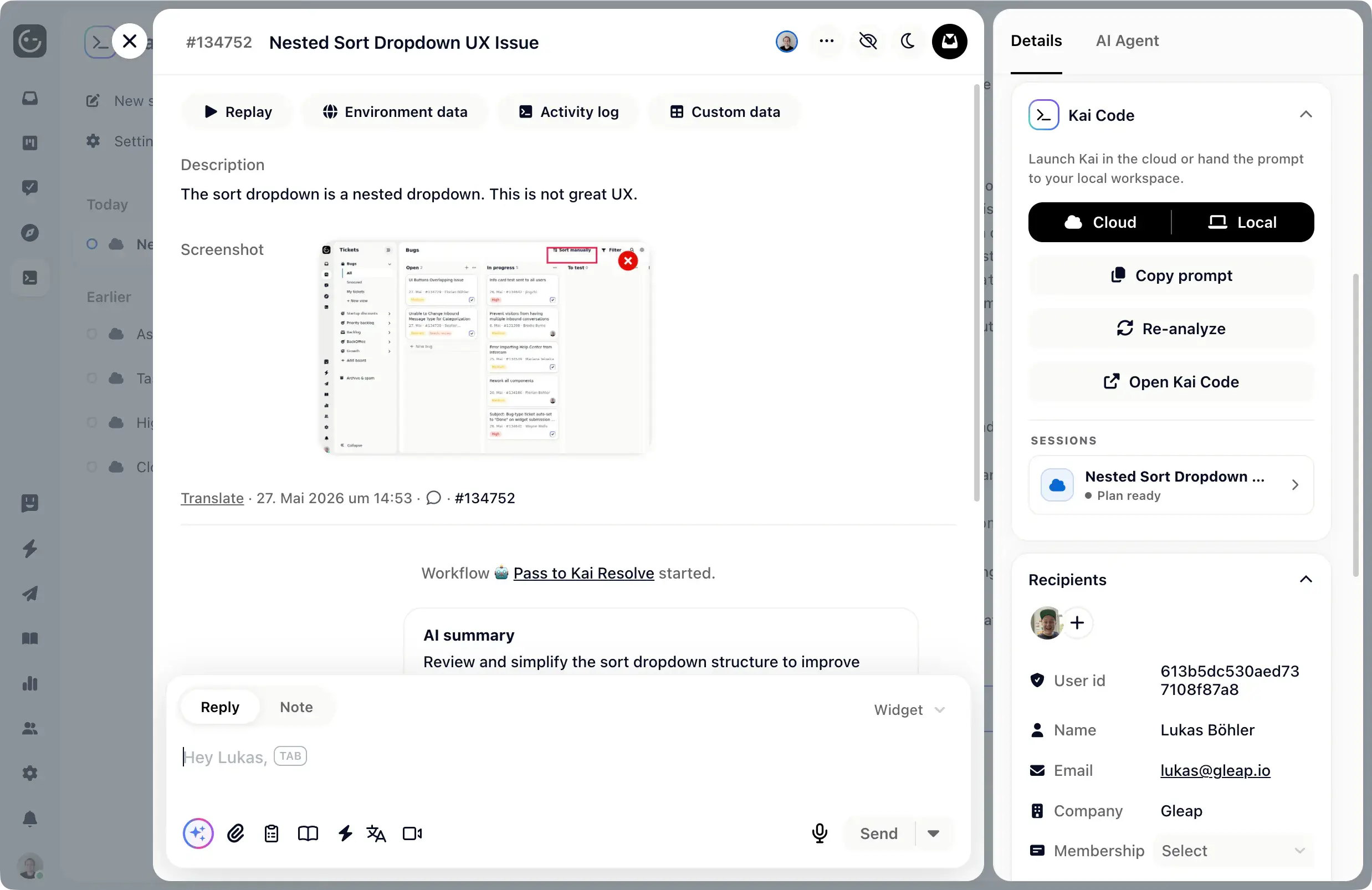
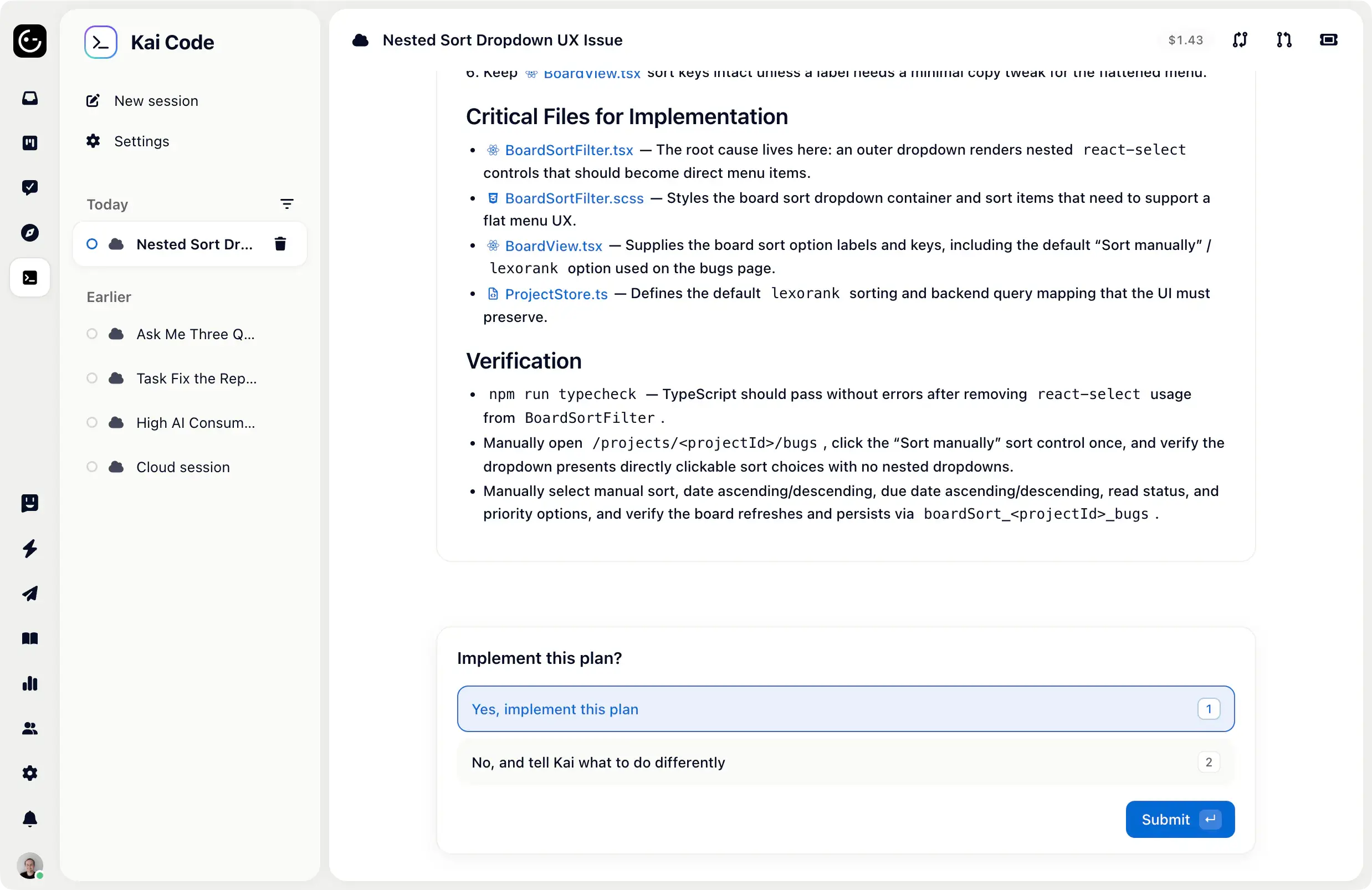
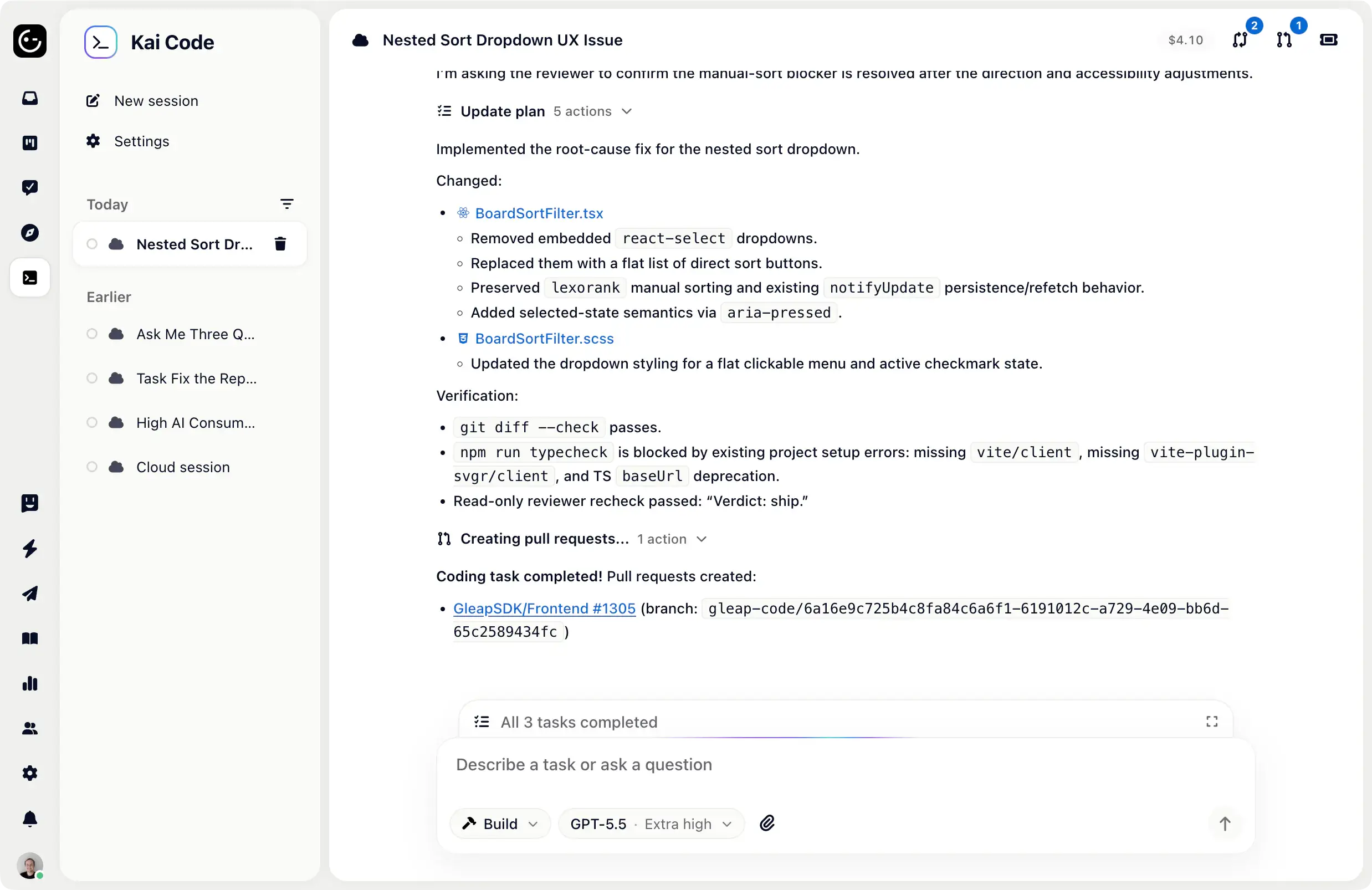
A customer reports a bug. Kai Code reads the replay, the logs, and your codebase, plans the fix, builds it, and opens the pull request - often before your standup. You review and merge.

An engineer in the loop with the customer report, repo context, and release path.
Starts with the real issue, not an empty prompt
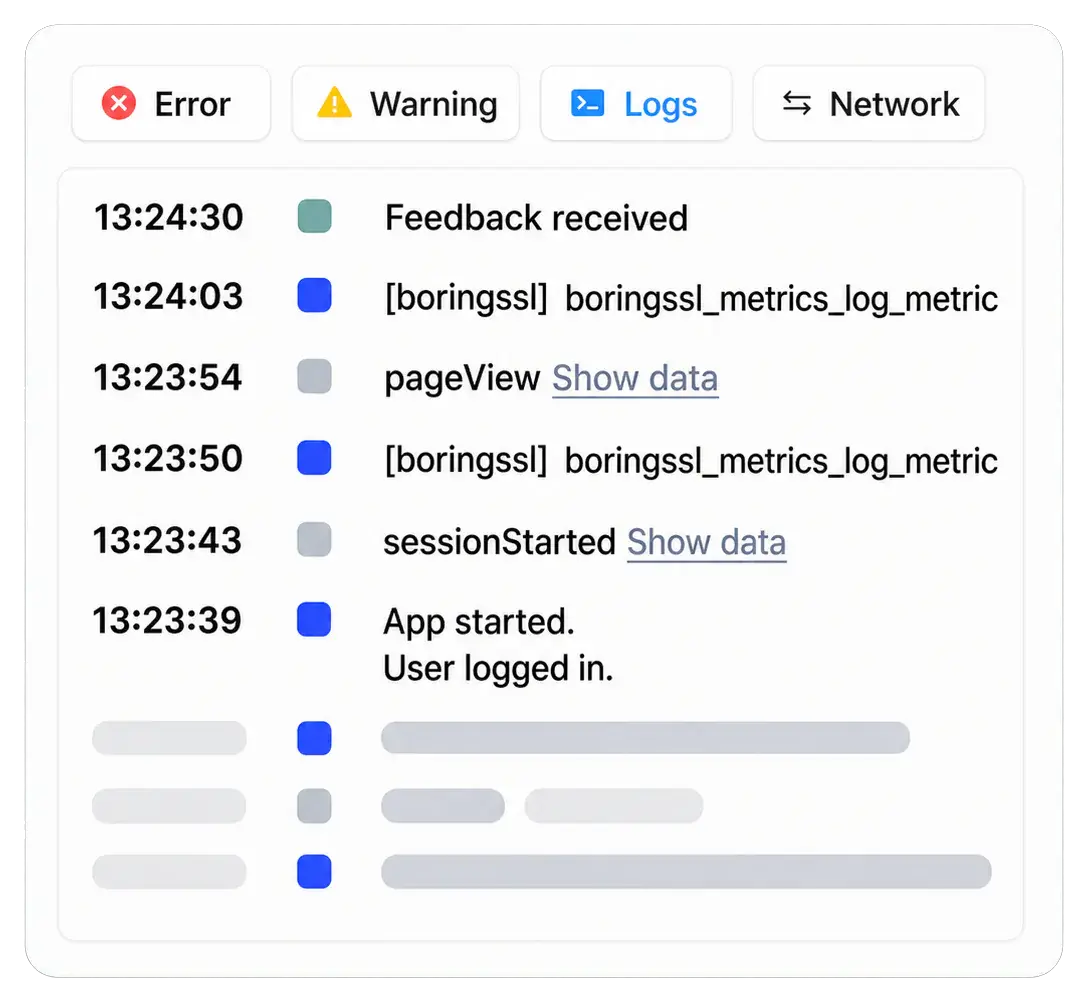
Kai Code begins with the session replay, console errors, network requests, device state, browser, OS, screen details, and customer impact that usually take engineers the longest to collect.
Gets confirmed work from Kai Resolve and Kai PM
Confirmed bugs arrive from Kai Resolve with reproduction steps, severity, affected area, and investigation notes. Approved specs arrive from Kai PM with demand, priority, and product context already attached.
Turns context into a reviewable patch
Plan, build, checks, pull request.
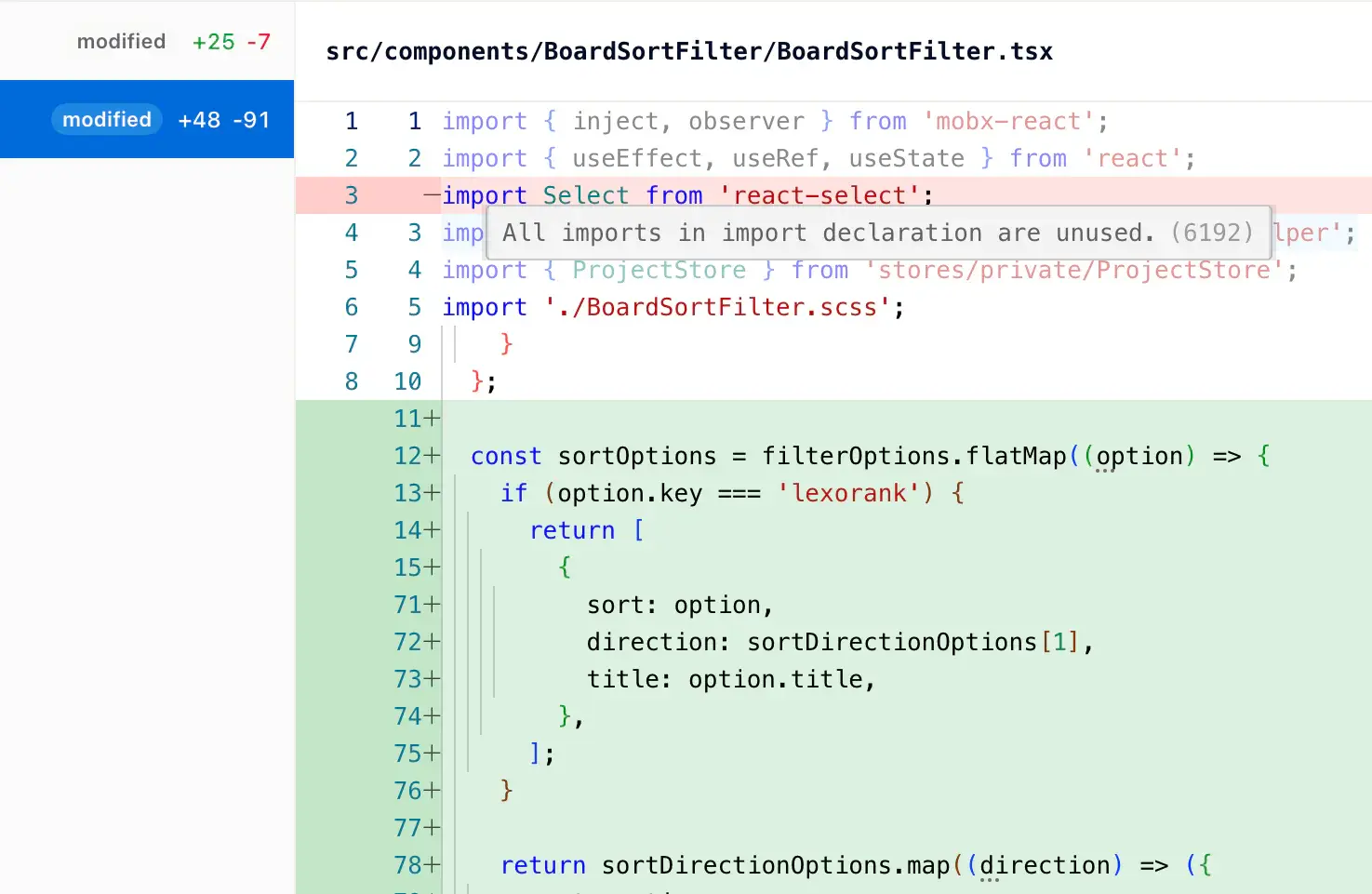
Kai Code does not disappear after one answer. Every run includes the plan, changed files, additions, deletions, lint notes, and final patch in a built-in diff viewer, so your team can review the work inside Gleap before jumping to GitHub.
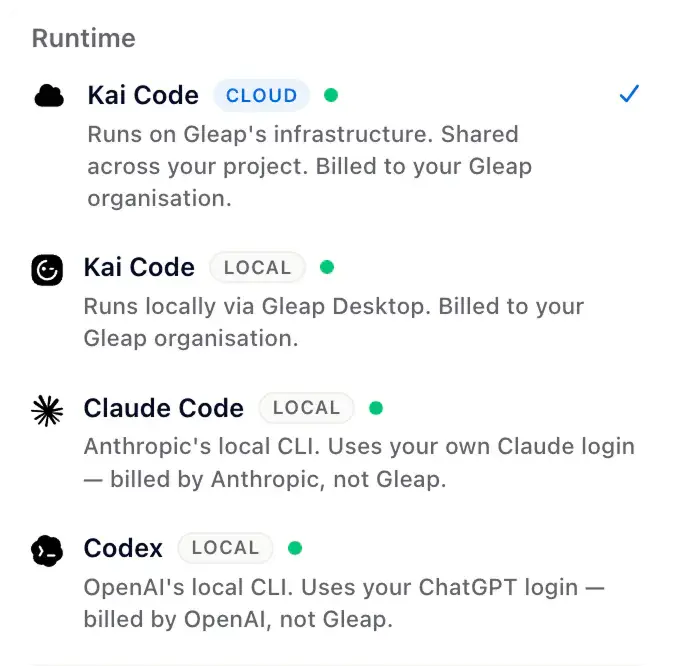
Run Kai Code in Gleap Cloud with frontier and open-source models, or connect your local Claude Code, Codex, or OpenCode setup. Bugs flow from Kai Resolve. Specs flow from Kai PM. Kai Code plans, builds, opens the PR, and hands the release loop back to the customer-facing agents.
Salesforge imported contacts and help center articles in minutes, then moved support, roadmap, news, outreach, and Slack into one Gleap workspace.
10 days
To full integration
Partfox fully integrated Gleap with custom data and unlocked live chat, AI support, bug reporting, feature requests, product tours, checklists, and surveys.
50-60%
Inbound support handled by Kai
Commonplace uses Gleap for feedback, support, knowledge base, roadmap work, JIRA, HubSpot, and Kai-powered first-line support.
What teams say about Gleap
“One platform, less hassle, and smarter support.”
Gleap has transformed how Tridonic manages customer experience by streamlining feedback, support, and automation.
Elif Kavas
DX, Tridonic
“Essential to our development process.”
Gleap was implemented within minutes and helps MARK.ONE fix bugs quickly while building real customer relationships.
Mark Breuß
Founder, MARK.ONE
“Super-fast turnaround on feature requests.”
Transaction Network Services highlights the Gleap team’s turnaround on new feature requests as part of reducing errors in the product.
Martin Hardman
Transaction Network Services
About Kai Code
What is Kai Code?
Kai Code is Gleap's AI coding agent for self-driving development. It acts like a support-aware AI engineer: confirmed bugs from Kai Resolve and approved specs from Kai PM enter plan mode, move into build mode, run checks, open a pull request, and stay connected to the customer loop after merge.
What is self-driving software development?
Self-driving software development is a customer-to-code workflow where AI agents investigate customer issues, prepare implementation plans, create code changes, open pull requests, and close the loop with the customer after review and merge. In Gleap, Kai handles inbound support, Kai Resolve investigates hard tickets, Kai Code builds confirmed fixes, and Kai PM turns product demand into specs and release notes.
How does Kai Code enable self-driving software development?
Kai Code is the implementation layer in Gleap's self-driving software development loop. It receives confirmed bugs with session replay, console logs, network requests, reproduction steps, source context, and customer impact, then plans the fix, builds the change, runs checks, and opens a pull request for review.
How is self-driving software development different from an AI coding assistant?
AI coding assistants usually start from an engineer's prompt inside an IDE. Self-driving software development starts from a customer signal. Kai Resolve investigates the ticket, Kai Code receives the evidence, opens a pull request, and Gleap can notify the original customer when the fix ships.
Does self-driving software development replace engineers?
No. Kai Code prepares the plan, code change, checks, and pull request, but your engineers still review, approve, and merge the work. The goal is to remove the manual handoff from customer report to PR-ready fix, not to remove code review or engineering judgment.
Can Kai Code use my existing local coding setup?
Yes. Kai Code can run in Gleap Cloud with frontier and open-source models, or work through your local Claude Code, Codex, or OpenCode setup. The workflow stays the same: plan mode, build mode, pull request, review, merge, customer notification.
How does Kai Code work with Kai PM and Kai Resolve?
Kai Resolve routes confirmed bugs to Kai Code with the investigation, replay, logs, source context, and customer impact attached. Kai PM turns feature demand into prioritized specs, then hands approved work to Kai Code for implementation. Kai Code plans, builds, opens the PR, and returns the release loop to the customer-facing agents.
What codebases does Kai Code work with?
Kai Code is designed for connected product codebases where Gleap can provide customer context, replay, logs, and source access. It works across common web, mobile, and backend stacks, then uses the connected repo to plan and build the fix.
What's the difference between Kai Code and Instabug or Usersnap?
Instabug, Usersnap, Marker.io, and BugSnag capture bug reports. Kai Code is built for self-driving development. It receives confirmed bugs with replay, logs, and reproduction context, plans the fix, builds it, opens a pull request, and notifies the users who reported the bug once the fix ships. See the Instabug alternative and Usersnap alternative pages.
Is Kai Code GDPR-compliant?
Yes. Mask sensitive input fields from session replays. Block specific network endpoints from logging. Anonymize user data automatically. SOC 2 Type 2 audited. EU data residency available on Enterprise plans.
The fastest teams already ship fixes this way. Join them.