CRM pipelines.

Built into your support platform.

Track deals, onboarding, and renewals on boards over the companies and contacts already in Gleap. Custom fields, live stage totals, and automations - with every entry one click from the real conversation.


4.6/5 on G2
Trusted by 4,500+ teams worldwide
Your CRM should not live in a different tab than your customers. Gleap pipelines turn the companies and contacts your support platform already knows into a lightweight CRM. Sales, onboarding, renewals - each is a board with stages, custom fields, and live totals, connected to real conversations. No importer, no sync job, no second tool to keep honest.
Powering 4,500+ of the fastest-moving software teams
Boards for momentum. Tables for detail.
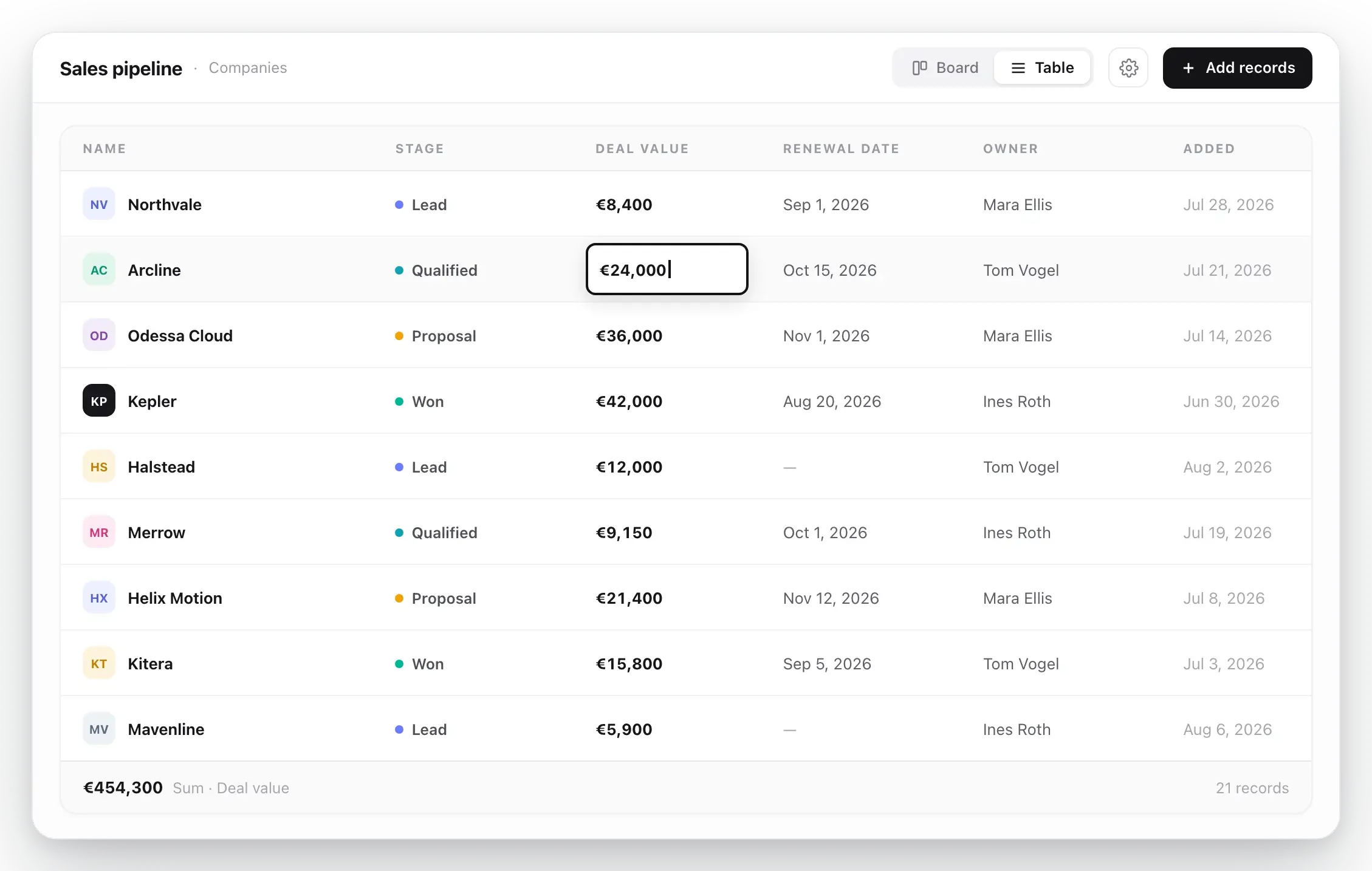
Same pipeline, two views - switch whenever the work changes.
A Gleap pipeline in table view with sortable columns for stage, deal value, and custom fields.
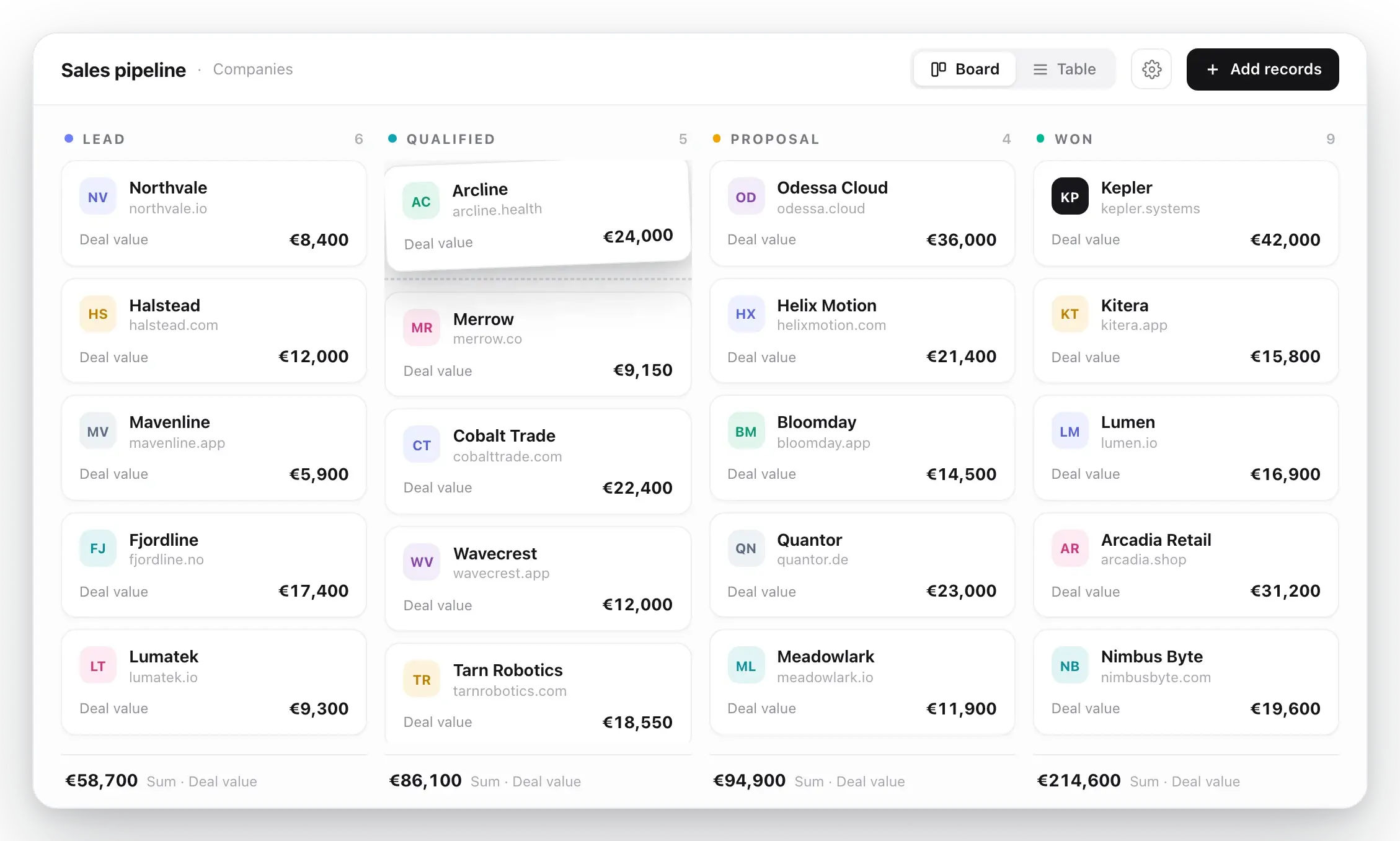
Drag records through stages you define
Start from a sales, customer onboarding, or renewals template - or a simple three-stage board - then rename, reorder, and color stages as your process evolves. Stage footers keep a live total of the value moving through each column.
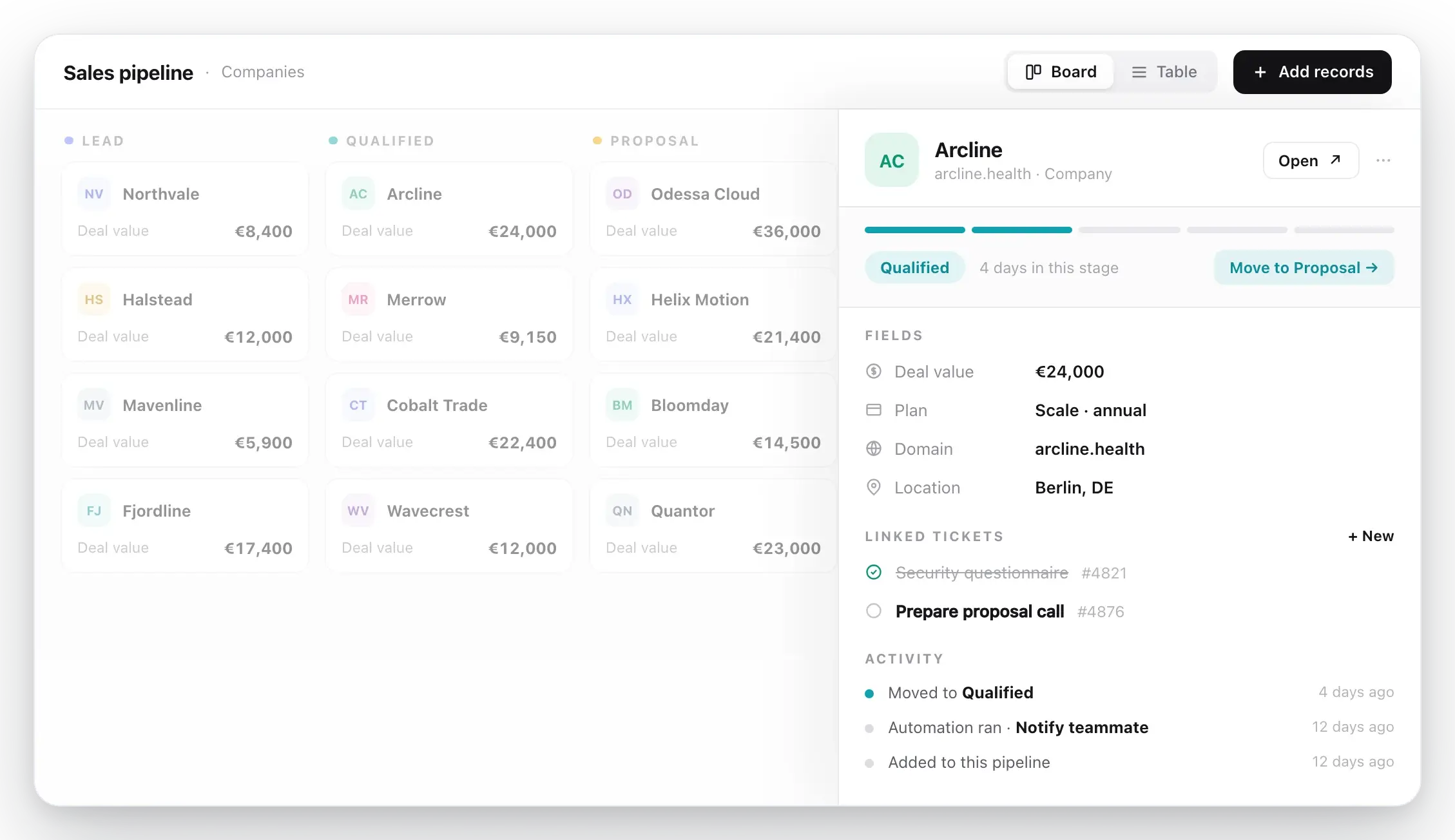
The Gleap pipeline entry drawer showing stage progress, editable fields, linked tickets, and activity.
Every record opens as a peek, not a page load
Click any card to see the record in place: stage progress, company or contact details, inline-editable fields, linked tickets, and an activity trail of when it entered the pipeline and moved between stages.
Move a card. Trigger the work.
Stage changes run automations, so the next step never gets lost.
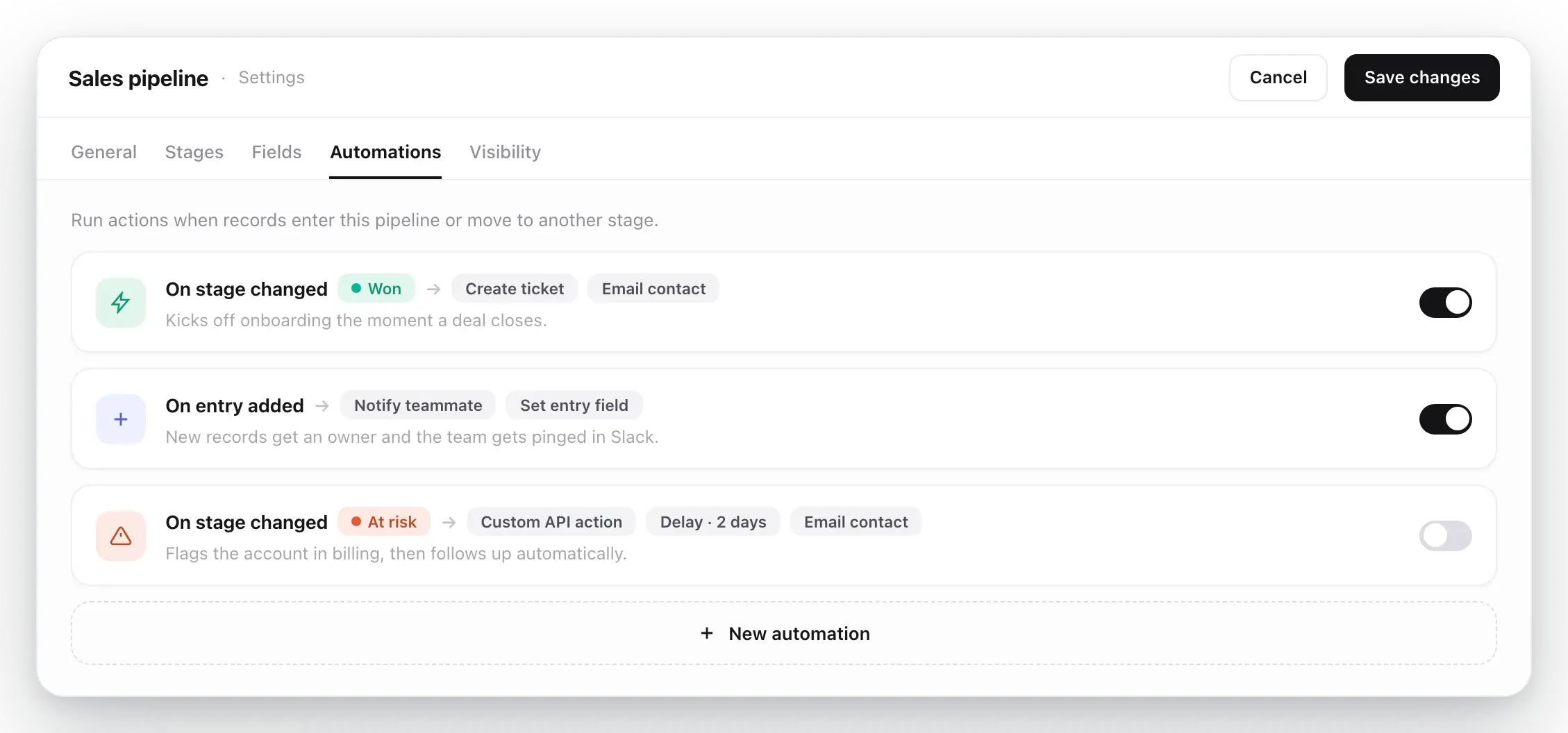
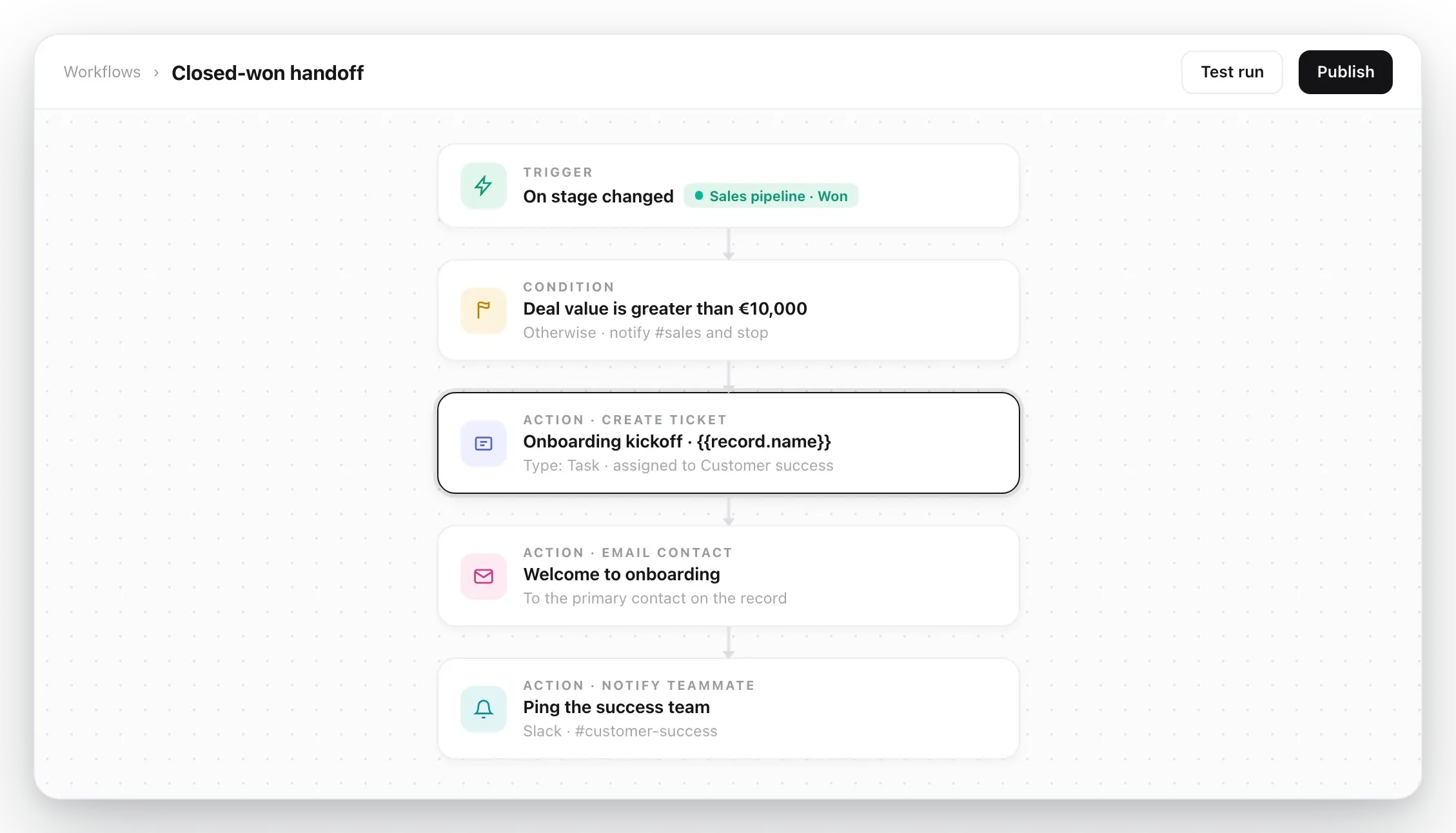
When an entry is added to a pipeline or changes stage, Gleap can create a ticket, email the contact, notify a teammate, set a field, move it to another pipeline, or call your API - with conditions and delays where you need them. The created ticket lands in your inbox, where your existing workflows take over.
See workflows
The Gleap workflow editor with pipeline triggers and actions like create ticket and email contact.
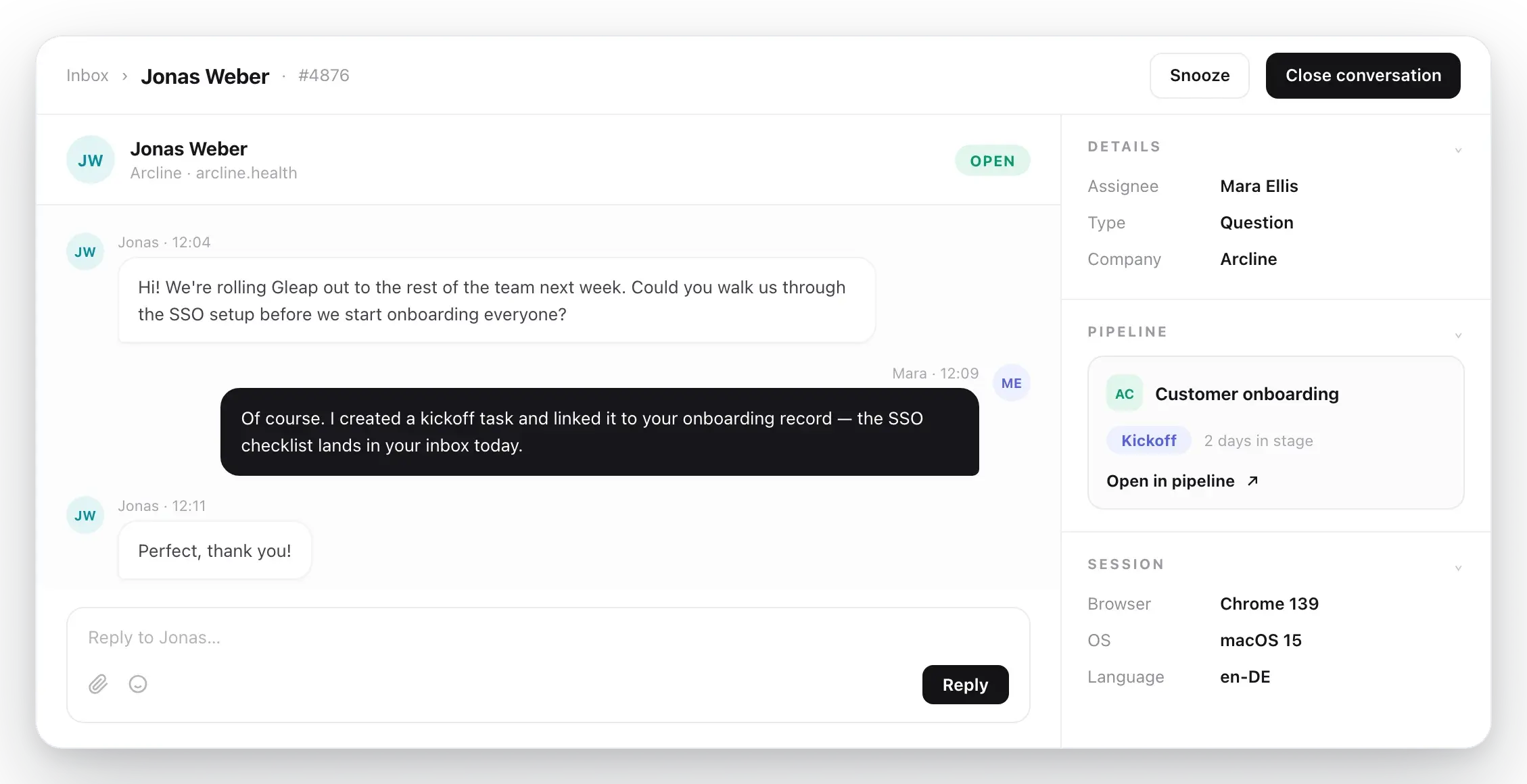
A Gleap support ticket with a pipeline panel linking it to a deal, next to the pipeline entry it belongs to.
A CRM entry is one click from the conversation
Pipelines and support share the same records.
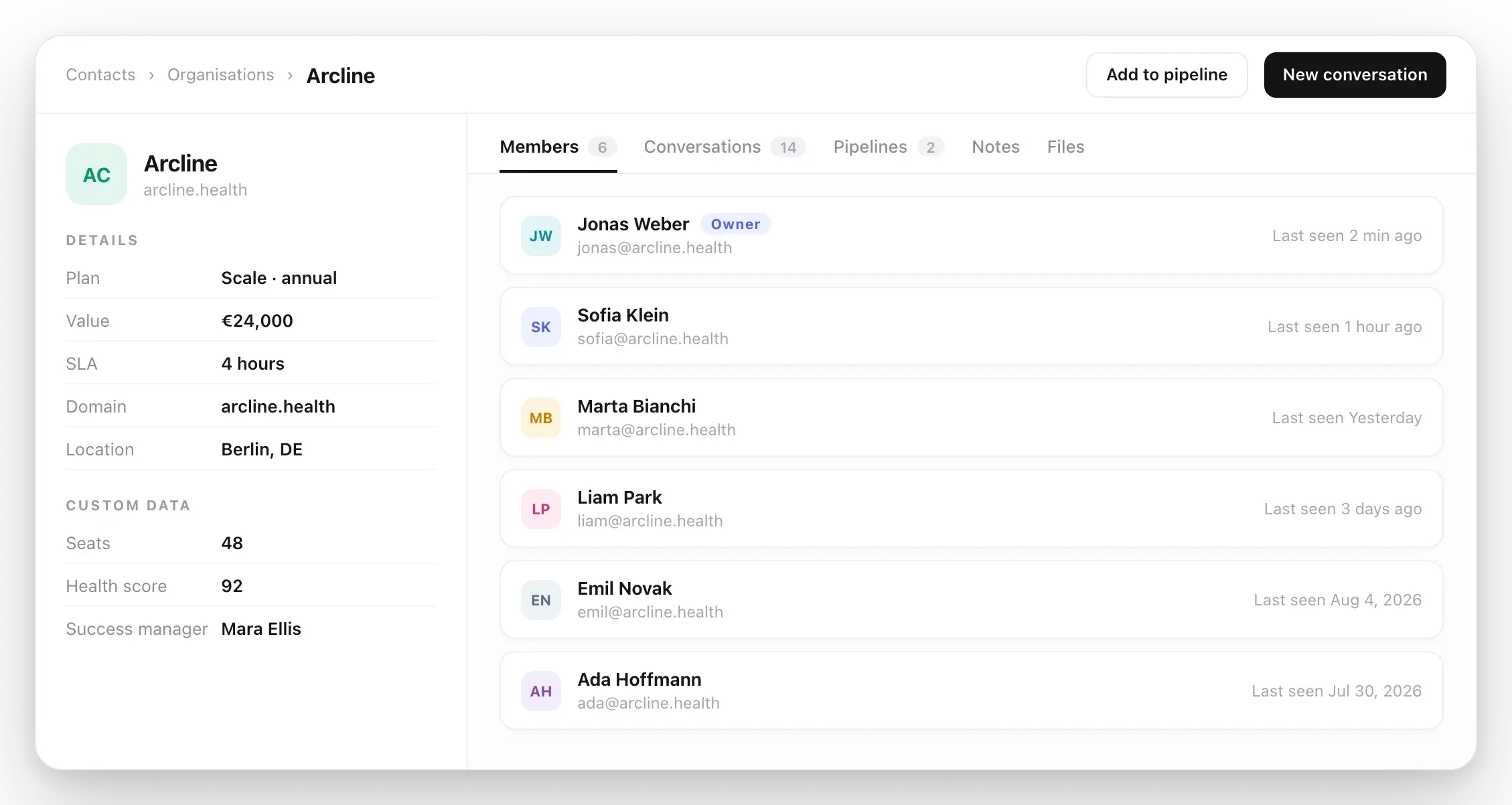
Link support tickets to pipeline entries and jump between them from either side: the entry shows its linked conversations, and the ticket sidebar shows where the customer sits in your pipeline. Company profiles keep members, conversations, notes, files, and SLA targets in one place.
See multichannel support
“One platform, less hassle, and smarter support.”
Gleap has transformed how Tridonic manages customer experience by streamlining feedback, support, and automation.
Elif Kavas
DX, Tridonic
CRM pipeline features in full
Everything a customer pipeline needs, nothing to sync
Pipelines for companies and contacts
Track companies or contacts per pipeline. Start from sales, onboarding, and renewals templates or build your own stages.
Custom fields with live totals
Add text, number, and currency fields. Show sum, average, min, max, or count per stage - on the board and in the table.
Board and table views
Kanban for momentum, table for sorting and editing at scale. One toggle, same data, per-pipeline preference.
Stage automations
On entry added or stage changed: create tickets, email contacts, notify teammates, set fields, or call your API.
Linked conversations
Connect tickets to pipeline entries in both directions and create follow-up tickets straight from a record.
API and SDK access
Manage pipelines and entries via the REST API or the Gleap Admin SDK for Node.js - ideal for syncing from your product.
Run sales, onboarding, and renewals where support already happens.
4.6 / 5
G2 · 4,500+ teams